



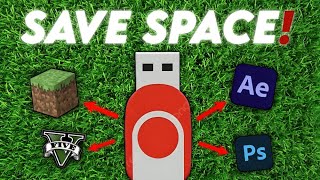
How To Install PC Games And Apps On USB (Portable Apps)
Carry your favorite programs and games on a pendrive and run them on any Windows PC with the free PortableApps.com Platform
A portable app is a program that runs from a folder on a USB drive without needing a normal installation on the PC. You plug the drive in, start the program, and when you take the drive out your apps and settings go with you. This is useful on a school, office or friend's computer where you do not want to install anything.
PortableApps.com bundles this idea into a free platform. Its download page says it includes a complete app store, app organization, automatic software updates, themes and customization, portable fonts, and integrated backup and restore. You can build a suite for a USB drive, a synced cloud folder or the local PC.
The platform is small. The official page lists about 7 MB to download and about 19 MB when installed, and it supports both 32-bit and 64-bit Windows, adjusting automatically to each PC.
| Item | Details |
|---|---|
| USB drive | A pendrive or external drive. Bigger drives hold more apps and games, and faster drives run them better. |
| Windows PC | The platform supports Windows 11, 10, 8.1, 8, 7, Vista and XP, in both 32-bit and 64-bit versions, according to the official page. |
| Internet | Needed once to download the platform and each app from the app store. |
| Free space | The platform itself needs about 19 MB, plus space for every app and game you add. |
| Category | Examples Listed On PortableApps.com |
|---|---|
| Action | AssaultCube, Xonotic |
| Arcade | Neverball, SuperTux, Hedgewars |
| Board | Lucas Chess, WinBoard Chess |
| Puzzle | 2048, Sudoku |
| Physics | The Powder Toy |
| Strategy | Freeciv, Battle for Wesnoth, OpenTTD |
The games page lists 11 categories: Action, Adventure, Arcade, Board, Card, Emulators, Physics, Puzzle, Racing, Role-Playing and Strategy. Some entries are marked as freeware. The list changes over time, so check the app store for the current games.
| Name | PortableApps.com Platform |
| Version | 30.2 (per the official download page) |
| Download Size | About 7 MB |
| Installed Size | About 19 MB |
| Supported Windows | 11, 10, 8.1, 8, 7, Vista, XP (32 bit and 64 bit) |
| Install Targets | USB drive, synced cloud folder or local PC |
| Included Features | App store, automatic updates, themes, portable fonts, backup and restore |
| Price | Free |
.jpg)


)
0 Comments