


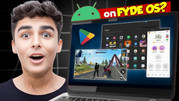
FydeOS Download for PC + Full Install Guide (2026)
Turn an old laptop or PC into a fast, secure, Chromebook-style computer with Android and Linux app support.
About FydeOS. FydeOS is a Chromium OS based operating system built by Fyde Innovations. It gives you a ChromeOS-like experience on normal PCs, with web apps, Android apps and a Linux environment in one system.
In this guide you will learn which FydeOS variant fits your hardware, where to download it, how to make a bootable USB, and how to install it either as a full replacement or next to Windows.
Download FydeOS
Fast mirror link for the FydeOS setup files.
Server 1 - Fast DownloadOfficial FydeOS website. Open the Download tab and pick the PC variant that matches your processor and graphics.
Server 2 - Official FydeOS DownloadWhich FydeOS Variant Should You Pick?
| Variant | Version Seen | Best For |
|---|---|---|
| Intel Modern | 22.1 (2026-05-08) | Intel Core 6th to 14th gen (about 2015 and later) with Intel HD, UHD or Iris Xe graphics |
| AMD Graphics | 23.0 (2026-08-20) | AMD Radeon graphics (discrete or integrated) with AMD or Intel CPUs from about 2011 onward |
| Intel Legacy | Check official page | Older Intel machines. The v19 legacy build was reported to support Intel 3rd to 5th gen only, and 2nd gen Sandy Bridge was not supported |
| VMware Image | Check official page | Trying FydeOS inside VMware without touching your disk |
| SBC / FydeOS for You | Check official page | Raspberry Pi and other boards, or selected devices with tailored builds |
Key Features
System Requirements
How to Install FydeOS on PC (Step by Step)
Copy anything important off the target drive. A full disk install erases everything on it.
Use the Server 2 button, open the Download page and choose the variant from the table above. The file arrives as a .bin.zip raw disk image.
The official page lists a SHA-256 hash for each download. Compare it with your file to be sure the download is not corrupted.
Plug in a USB drive and write the image with Rufus on Windows, or balena Etcher on other systems. Most flashing tools accept the zip directly. If your tool complains, extract the file with 7-Zip or WinRAR first. Double-check the selected drive, because it will be erased.
Restart the PC and open the boot menu (the key depends on your brand, often F12, F2, Esc or Del). Choose the USB drive in UEFI mode.
FydeOS runs live from the USB so you can test Wi-Fi, display, audio and touchpad before touching your disk. USB speed is limited, so install to the hard drive for the full experience.
Open the installer and pick one option. Full disk installation wipes the drive and makes FydeOS the only system. Multi-boot installation keeps your current OS and adds FydeOS next to it.
When the installer shows the reboot screen, restart and remove the USB drive. FydeOS should now start from your internal disk.
Dual Boot With Windows
Dual boot needs a 64-bit PC with UEFI boot, an existing working OS (Windows, macOS or Linux), a GPT disk, and at least 10 GB of free space on a primary partition.
Create the free partition in Windows Disk Management, boot FydeOS from the USB, then choose the multi-boot installation in the installer and select that partition. The installer can also add the rEFInd boot manager if you want a boot menu.
Common Problems and Fixes
| Problem | Fix |
|---|---|
| File says corrupted | Download again, compare the SHA-256 hash, and extract the zip before flashing. |
| Etcher fails to flash | The FydeOS team reported problems with the newest Etcher. Use Etcher 1.18.11, or switch to Rufus on Windows. |
| Will not boot or black screen | Make sure you picked the right variant for your CPU and graphics. Try the AMD or Intel build that matches your hardware. |
| No Android apps | Check your CPU supports SSE4.2 and you have 4 GB RAM or more. |
| Still stuck | Post your CPU, RAM, graphics and error message on the FydeOS community forum. |
FydeOS FAQ
The official site states a free version is available. Check fydeos.io for current plans and any paid options.
No. ChromeOS Flex is Google's own product. FydeOS is a separate Chromium OS based system from Fyde Innovations with Android and Linux app support.
Yes, you can boot it live from USB to test your hardware. For best speed, install it to the hard drive.
FydeOS ships raw disk images. The .bin extension is cosmetic, and you can rename it to .img if a flashing tool prefers that.
Only if you choose full disk installation. Multi-boot installation keeps Windows and installs FydeOS beside it.
Software Info
| Name | FydeOS for PC |
| Developer | Fyde Innovations |
| Latest Version Seen | 23.0 (AMD) / 22.1 (Intel Modern) |
| Category | Operating System |
| File Type | .bin.zip raw disk image |
| Official Website | fydeos.io |
| Last Checked | 1 November 2026 |


 - Free USB Setup)
0 Comments