


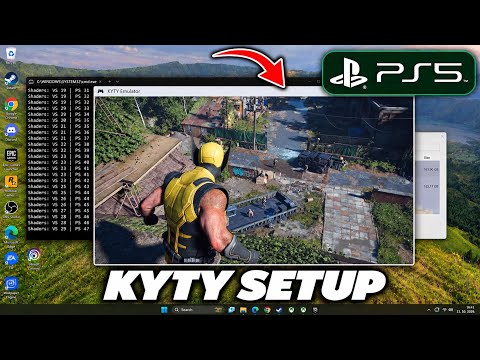
Kyty PS5 Emulator Download for PC (2026)
Free open-source PlayStation 5 translation layer for Windows, Linux and macOS, built in C++ on Vulkan.
KytyPS5 is a free, open-source PlayStation 5 translation layer for PC. According to its GitHub page, it is based on a heavily modified version of the original Kyty project by InoriRus. It is written in C++ and licensed under GPL-2.0.
The project says it can boot 2D and 3D games, including titles built with Unreal Engine 4/5, Unity and custom engines. It is under active development, so behavior can change a lot between builds, and crashes or graphical glitches can happen. Windows and Linux are the main platforms, and macOS support is experimental.
Read This First
Download Kyty PS5 Emulator
Kyty PS5 Emulator for PC
Server 1 supports TECH Decode. Server 2 is the official KytyPS5 GitHub page, where the project and its build instructions are published.
S1 Server 1 - Fast Download S2 Server 2 - Official GitHub DownloadKey Features
PS5 Translation Layer
Runs PS5 game directories on PC by translating the console system layer instead of acting like a full hardware clone.
2D and 3D Games
The project reports booting 2D and 3D titles, including games built with Unreal Engine 4/5, Unity and custom engines.
Vulkan Graphics
Uses Vulkan 1.3. On macOS, Vulkan comes from the bundled MoltenVK layer.
Qt 6 Launcher
A Qt-based launcher is available. On Linux a build without Qt is also described for users who do not need it.
Dump Formats
Supports game directories containing eboot.bin and ZArchive (.zar) dumps.
Built-in Updater
Official release builds include an updater that verifies SHA-256 checksums.
Cross Platform
Windows and Linux are primary targets. macOS on Apple Silicon is experimental, using Rosetta 2.
Open Source
Full source code on GitHub under GPL-2.0, with the original Kyty MIT notice preserved.
How to Install and Use
- Check your hardware. You need a 64-bit x86 PC and a Vulkan 1.3 capable GPU with up-to-date drivers.
- Get the emulator. Use Server 2 to open the official GitHub page and download an official build, or compile it from source following the repository instructions.
- Extract and open. Unzip the package to its own folder and start the launcher.
- Add your games. Point the emulator to your own legally dumped game folder (with eboot.bin) or a .zar dump.
- Launch a game. Pick the game and press play. Since the project is in active development, expect crashes or glitches in some titles.
- Keep it updated. Release builds include a built-in updater. Update often, because behavior can change a lot between builds.
System Requirements
| Operating System | Windows 10 version 1803 or later, a current Linux distribution, or macOS on Apple Silicon (experimental) |
|---|---|
| CPU | 64-bit x86. On macOS, an Apple Silicon Mac running through Rosetta 2 |
| Graphics Card | Vulkan 1.3 capable GPU with current drivers (MoltenVK on macOS) |
| Game Files | Your own legally obtained game folders (eboot.bin) or ZArchive (.zar) dumps |
| Firmware | The project page does not mention a firmware requirement |
Status and Known Limitations
| Development | Active. Behavior can change significantly between builds. |
|---|---|
| Stability | Crashes and graphical glitches can occur. |
| Windows and Linux | Primary supported platforms. |
| macOS | Experimental, with a small number of titles verified on Apple Silicon. |
| Compatibility | No full compatibility guarantee. Results depend on the game and your hardware. |
| Contributions | Pull requests that do not address a concrete game or launch problem are closed automatically, and AI-assisted contributions must be disclosed. |
Project Information
| Name | KytyPS5 (Kyty PS5 Emulator) |
|---|---|
| Description | PlayStation 5 translation layer for Windows, Linux and macOS |
| Based On | Heavily modified version of Kyty by InoriRus |
| Language | C++ |
| License | GPL-2.0 (original Kyty MIT notice preserved) |
| GitHub Stars | About 10.1k |
| Source Code | github.com/KytyPS5/KytyPS5 |
Frequently Asked Questions
Does Kyty include PS5 games?
No. The project does not distribute games or copyrighted system software. You must use your own legally obtained dumps.
Can it run every PS5 game?
No. It is in active development and can boot many 2D and 3D games, but crashes and graphical glitches can occur, and results vary by title.
Which GPU do I need?
A Vulkan 1.3 capable GPU with current drivers. Older GPUs without Vulkan 1.3 support will not work.
Does it work on macOS?
Experimentally, on Apple Silicon through Rosetta 2 with MoltenVK. Only a small number of titles have been verified.
Is it safe to download?
The source code is open under GPL-2.0. Download only from the official GitHub repository, and avoid re-uploads from unknown sites.



)
0 Comments